



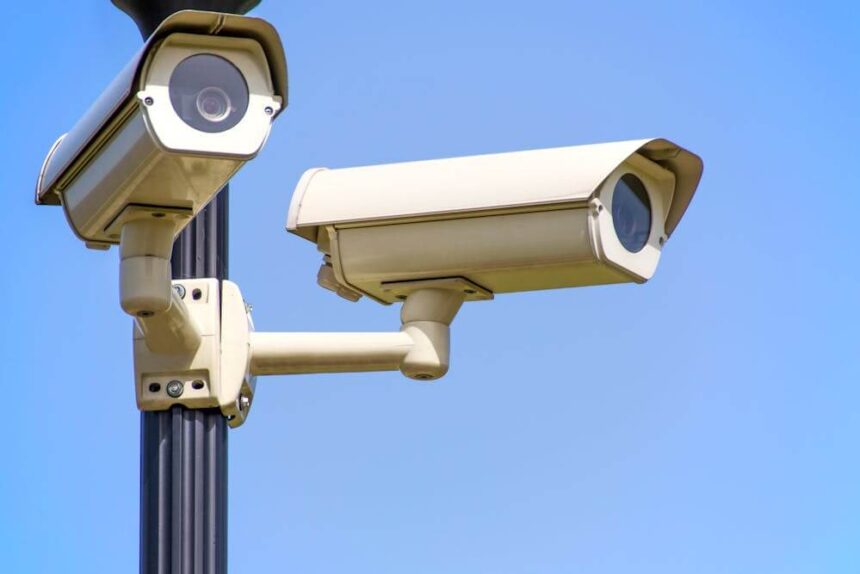
Installing a security camera system costs different amounts for homes and businesses because each setup serves different needs. Home systems usually focus on basic coverage for doors, yards, and driveways, while business setups must manage larger spaces, multiple entrances, and higher security standards. Home installations often range from a few hundred to a couple of thousand dollars, while business systems can reach several thousand due to advanced equipment and labor requirements.
Businesses pay more because they often need professional-grade cameras, longer cable runs, and complex network setups. Homes, on the other hand, can use simpler systems with fewer cameras and less wiring. The scale of coverage, the level of monitoring, and storage needs all affect the cost of each system.
Understanding these differences helps owners make informed investment decisions. The next sections explore the main factors that drive pricing and compare how each property type influences total installation costs.
Core Factors Driving Security Camera System Costs
The total cost of installing a security camera system depends on practical details such as the property’s layout, the type of equipment used, and the work needed for proper installation. Each of these factors shapes the level of investment and determines the real value of the system.
Differences in Security Needs Between Homes and Businesses
Homes often focus on simplicity and affordability. A small number of cameras at key entry points is usually enough. Wireless cameras or compact kits meet most residential needs without large wiring projects or complex network systems.
Businesses, on the other hand, demand more coverage and advanced features. Larger buildings, outdoor areas, and multiple access points require a higher camera count and integrated monitoring tools. Offices and warehouses often add motion sensors, access control links, or remote storage systems.
This broader setup raises labor costs and installation time. The cost to install a security camera system for a business can easily surpass home project budgets because each location must comply with stricter operational and security requirements.
Types of Security Cameras: Wired, Wireless, Analog, and IP
Camera type greatly affects both equipment and labor expenses. Wired systems cost more to install because technicians need to run cables through walls or ceilings. They typically provide better image stability and are common in business settings. Wireless systems save on labor but may require network support to handle data traffic.
Analog cameras are usually the least expensive option. They work well for small properties where footage quality and remote access are not top priorities. IP cameras, by contrast, produce higher resolution images and allow remote viewing but need more bandwidth and larger storage capacity.
Each type of system also involves different maintenance costs. A wired or IP setup might need network tuning and occasional upgrades, while analog systems rely on physical recorders that may need replacement over time.
Camera Placement and Installation Complexity
Camera location impacts both safety coverage and total expense. Mounting a camera on an interior wall is simple, but an outdoor or high-mounted camera often requires lift equipment and extra protective casing.
Complex buildings with multiple floors or difficult wiring paths increase labor hours. For example, drilling through brick or concrete adds time and cost. Businesses with open lots or parking areas may need pole-mounted cameras with long cable runs.
Property size and structure guide every decision about positioning and cabling. Careful placement helps avoid blind spots but can also drive up installation work, raising the overall cost by hundreds or even thousands of dollars, depending on the system scale.
Labor and Installation Expenses
Labor is often one of the largest components of total cost. Professionals handle tasks such as site evaluation, cabling, hardware setup, and network configuration. Their hourly rates vary with skill level and project difficulty.
A small home project might take only a few hours, while a commercial job can stretch across several days. Complex jobs that link cameras to existing access or alarm systems typically cost more in labor.
In addition, professional installers often include testing, calibration, and system training. These services reduce the chance of errors later but increase the upfront price. For most property owners, skilled labor provides stronger long-term performance and stability compared with a quick or do-it-yourself setup.
Key Cost Comparisons: Homes vs. Businesses
Cost differences between home and business security systems relate mainly to project size, desired features, and service expectations. Larger camera networks, higher storage needs, and advanced monitoring often drive commercial systems to higher price ranges compared to standard home setups.
System Size and Number of Cameras
Homes usually require fewer cameras because of smaller property sizes. A typical household setup includes 2 to 6 cameras placed near doors, driveways, or backyards. The total security camera installation cost for homes ranges from about $600 to $2,000, depending on equipment type and labor rates.
Businesses often need wider coverage across entry points, warehouses, and parking lots. A small business may install 8 to 16 cameras, while larger offices or retail locations may need more than 30. Each additional camera increases equipment and installation expenses. Commercial systems often include mixed models such as dome cameras for indoor areas and bullet cameras for outdoor coverage.
Because of scale, businesses invest more in infrastructure like PoE switches and larger bandwidth capacity. The difference in camera count alone can double or triple total costs compared to residential setups.
Equipment, Storage, and Add-On Features
Homes usually rely on wireless security cameras with built-in Wi-Fi and local memory cards. Businesses favor wired systems with Network Video Recorders (NVRs) or Digital Video Recorders (DVRs) to support continuous, high-quality footage. These recorders serve multiple channels for simultaneous recording and playback.
Storage is another major factor. Homes may use local storage or basic cloud storage plans that charge small monthly fees. Businesses often prefer larger NVR systems with hard drives or hybrid setups combining local and cloud storage solutions for data backup.
Features also affect the final price. Functions such as motion detection, infrared night vision, remote access, and higher resolution increase equipment cost. Businesses usually add remote monitoring, system integration, and security alerts for staff access points. As a result, commercial equipment packages often cost hundreds more per camera.
Professional vs. DIY Installation Methods
Homeowners frequently choose DIY security camera installation to save labor costs. Wireless kits enable quick setup without specialized tools. A small 4-camera package can be completed for around $800, including cameras and minor mounting gear.
Businesses usually require professional security camera installation services because of complex cabling, power needs, and placement planning. PoE setups, cables, and structured wiring require certified technicians for performance and warranty coverage. Labor for commercial installations averages $100 to $200 per camera, which can account for a large share of total cost.
DIY options work for smaller projects but rarely meet the coverage and reliability standards that businesses demand. Professional technicians often adjust angles, test recording quality, and calibrate network settings to guarantee accuracy and uptime.
Ongoing Monitoring and Maintenance Fees
Home security users often rely on self-monitoring through mobile apps or cloud notifications. Subscription plans for basic cloud storage or limited remote monitoring usually cost between $10 and $30 per month. The main long-term expenses stem from data storage and occasional battery replacements for wireless units.
Businesses rely more heavily on continuous surveillance and system uptime. Professional monitoring services may charge $30 to $100 monthly, depending on the number of cameras and alert response levels. These plans often include technical support, backup servers, and real-time notifications to management or security teams.
Maintenance also differs in scale. Residential users may clean lenses or replace cables annually. Commercial setups require periodic inspections, firmware updates, and system recalibration. Larger systems also face higher repair or upgrade costs as technology advances.
Conclusion
Home and business systems share the same goal, protection, but the cost structure differs due to scope and complexity. A house might need only a few cameras with simple wiring, while a business setup often requires a larger network with higher-grade hardware.
Residential installations usually cost $500 to $2,500, depending on the number of cameras and whether they are wired or wireless. In contrast, a business may spend $2,000 to $10,000 because of higher security standards, broader coverage, and professional labor needs.
Labor, system type, and camera quality remain the main factors that drive price variations. Professional installation raises accuracy and system reliability, but smaller projects can reduce expenses with basic equipment or partial DIY work.
Each property type demands a tailored plan that fits its layout, security priorities, and budget. Choosing the right mix of features helps balance protection with cost efficiency.
